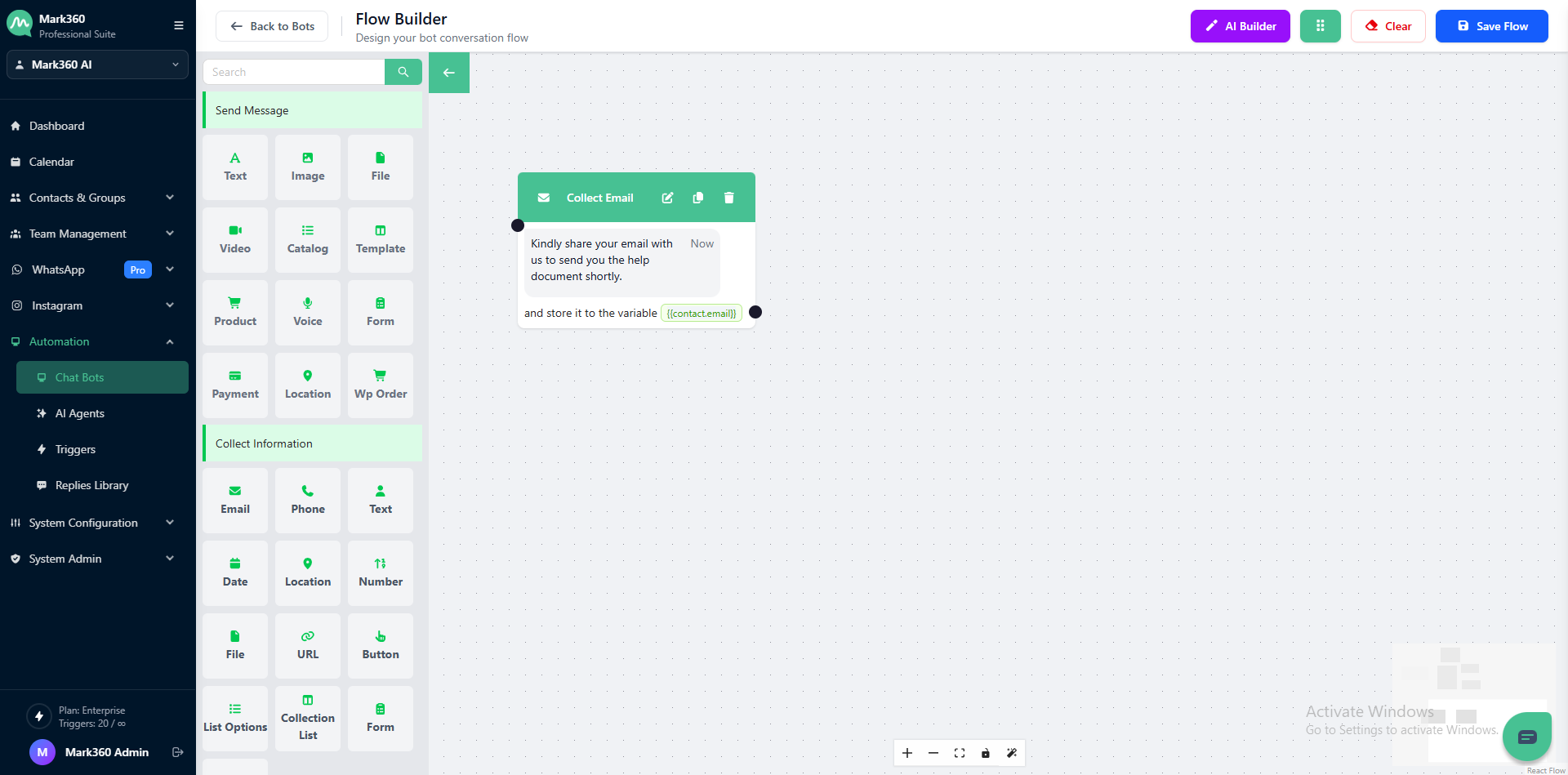
Collect Email
Boost user engagement and streamline data collection with the “Collect Email” card in Mark360. Customize your questions, manage response storage, and set up validation to ensure accurate email input from users. Use stored variables to enable personalized communication in your bot flows.
Understanding Collect Email
The Collect Email card allows your bot to ask users for their email addresses.
It’s ideal for sending order updates, newsletters, notifications, or personalized content — ensuring your business stays connected through a verified communication channel.
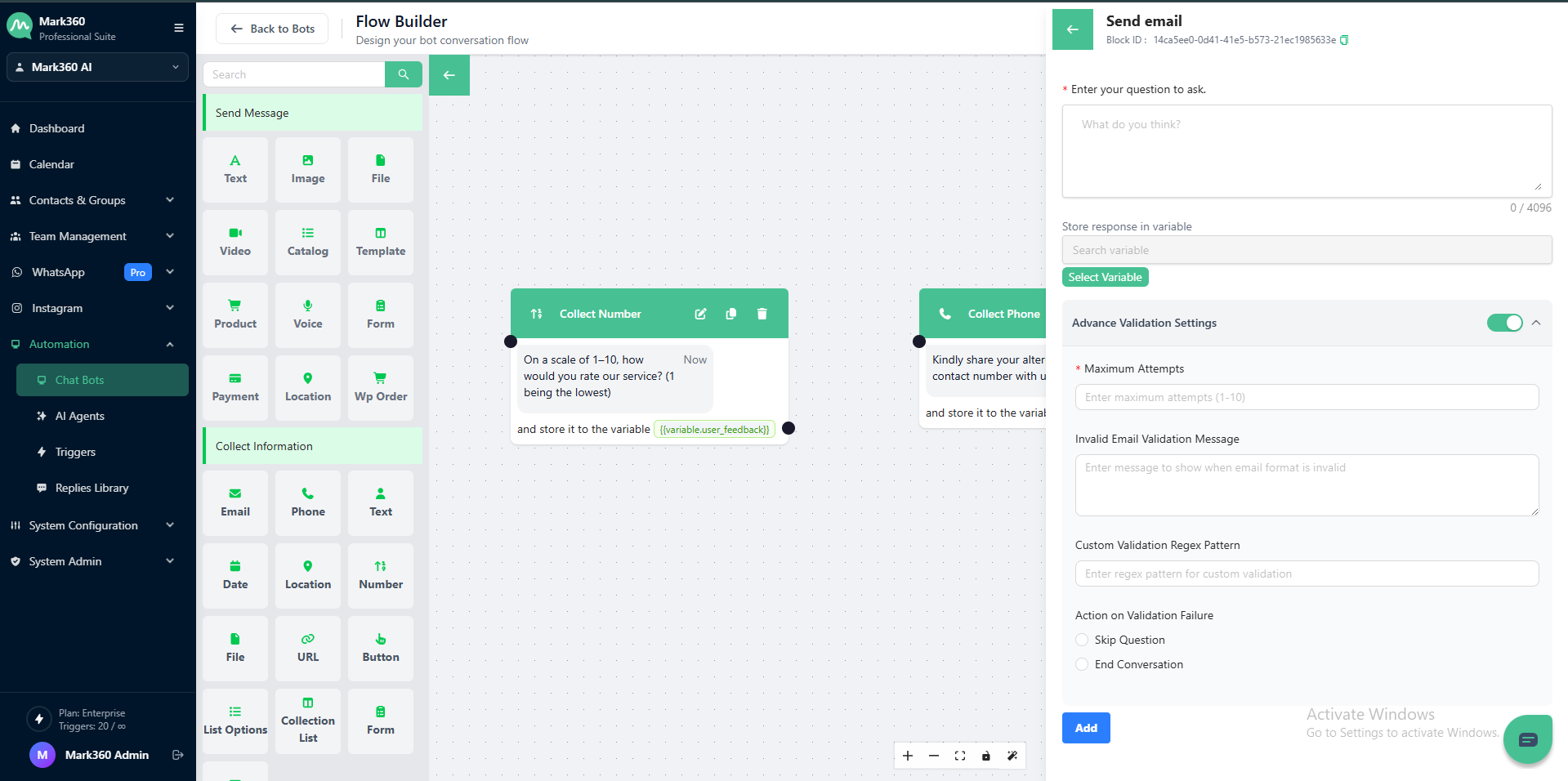
Collect as Text Essentials
Before you start using the Collect Email card, here are a few key things to know:
Enter Your Question to Ask
This is the prompt your bot sends to users.
Keep it simple, friendly, and clear, so users understand that an email ID is required.
Implementation Example
Let’s say you want to collect your customer’s email address to send them notifications or product updates.
Using the Collect Email card with validation settings, you can ensure the responses are formatted correctly.
Example Enter Your Question to Ask:
Kindly share your email with us to send you the help document shortly.
Store User Response
Create a variable, for example user_email, to store the entered email address for later use in your bot flow or CRM integration.
Additional Validation Settings
- Attempt Limit:
1 - Validation Error Message: (optional)
- Action on Invalid Response: Choose what should happen if the email format is invalid (e.g., Skip Question or End Conversation ).
Regex for Email Validation
Use this regular expression to ensure that the entered email address follows a valid format:
^[a-zA-Z0-9._%+-]+@[a-zA-Z0-9.-]+\.[a-zA-Z]{2,}$
Validation Criteria
-
Must contain a valid email structure (
name@domain.com). -
Accepts letters, numbers, dots, underscores, and hyphens before the “@”.
-
The domain must have at least one period and a valid top-level domain (TLD) such as
.com,.in,.org, etc.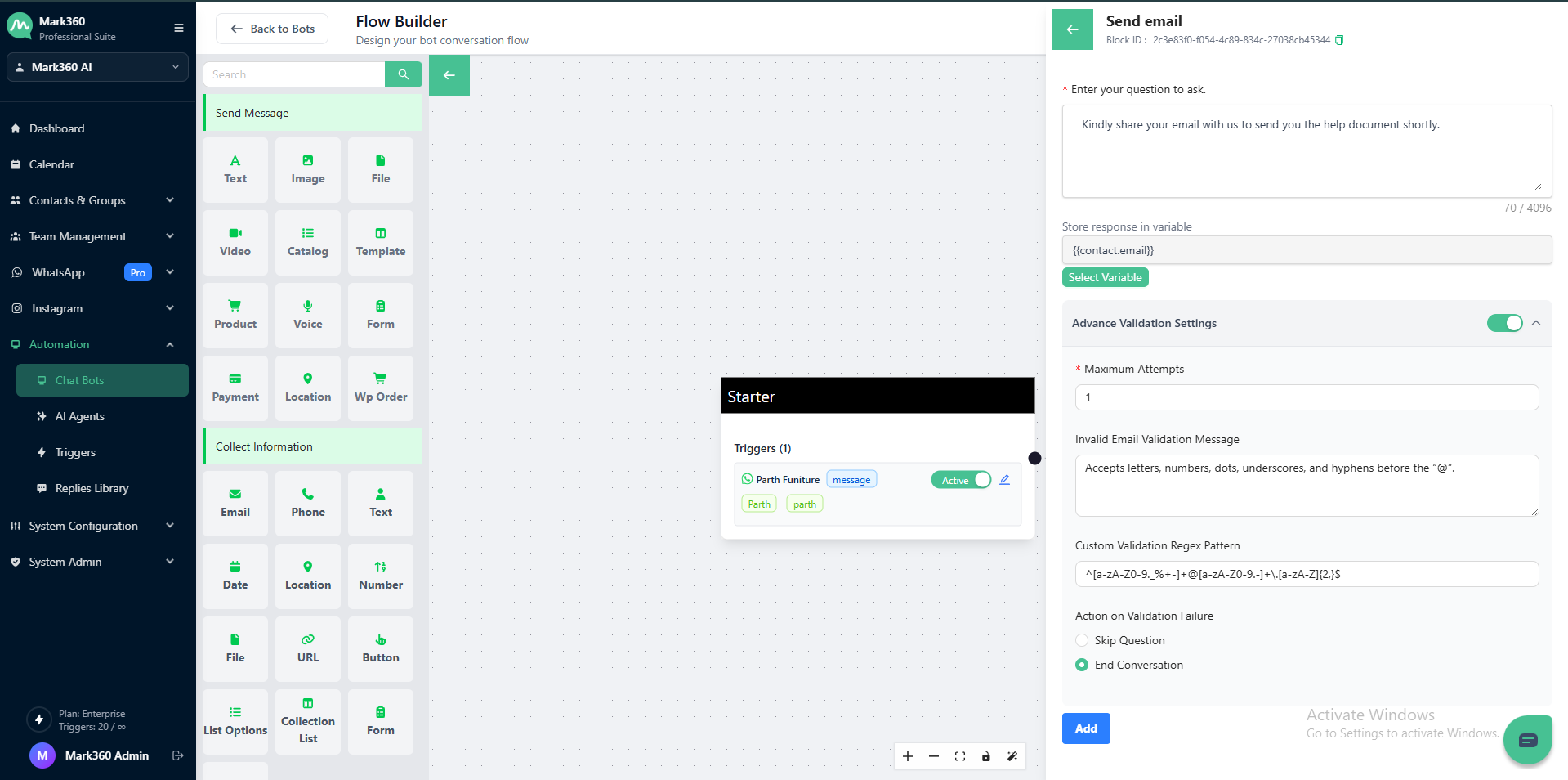
✉️ Pro Tip: Use the Collect Email card in Mark360 to gather verified email addresses for personalized campaigns, automated updates, and efficient customer communication.
In Mark360 Bot Interface: